
Watch the CRM before you decide.
Follow one booking through the actual CRM, with fictional sample data. No account, no demo call. Click the screen to pause, or pick an area to jump to it.
Follow one booking, start to finish.
Watch the actual CRM work through Northline's brand launch, from the first inquiry to the follow-up that runs itself.
Leads
Move the lead, then price two options.
Drag Northline's inquiry along the pipeline, open the lead and build a quote from your catalogue: a photo booth option and a 360 package, with a discount and a travel fee.
Explore leads & quotes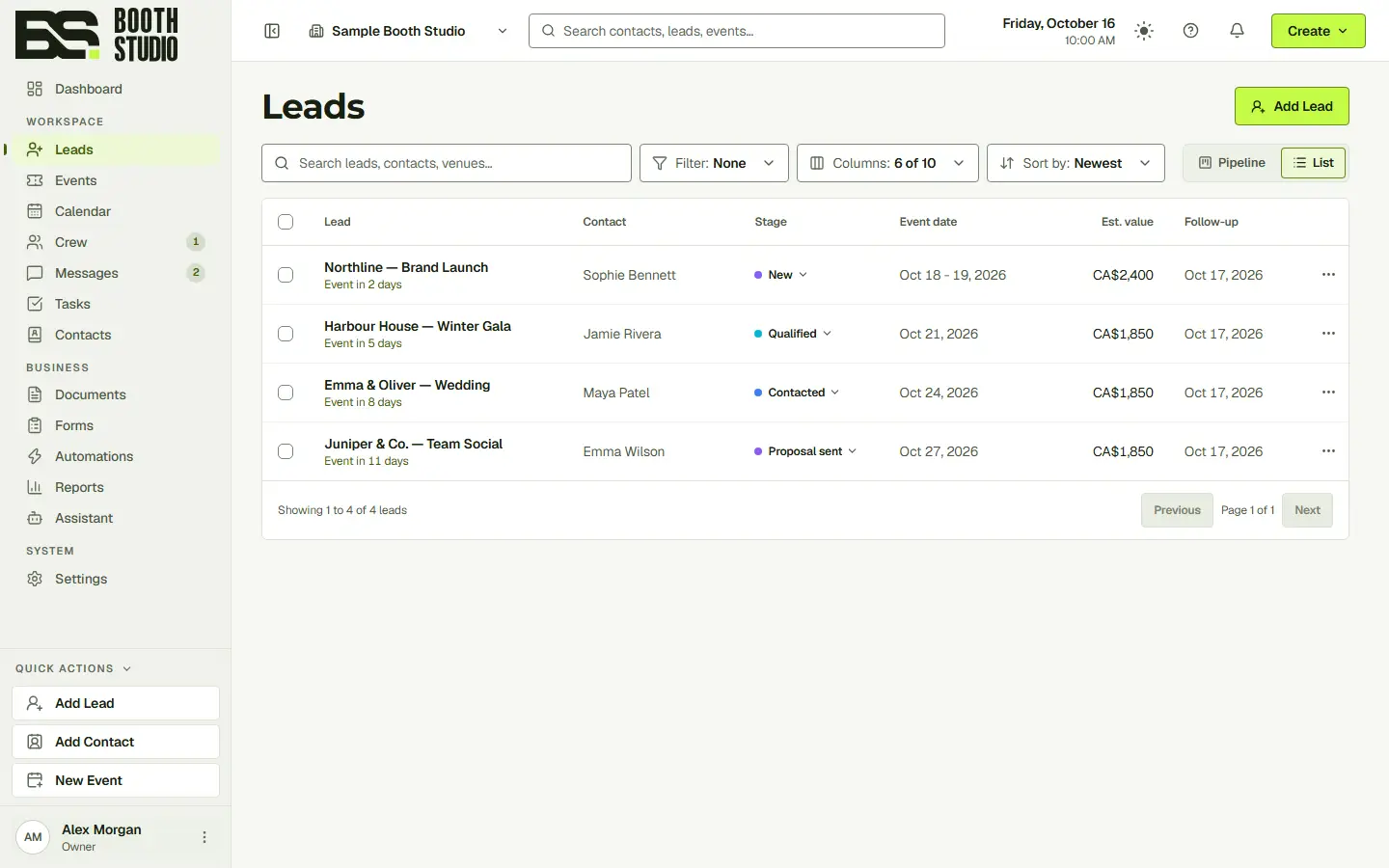
Northline's inquiry is waiting in Leads.
What you’ll see.
Eight areas of the CRM, one booking. Each picks up where the last one left off.
Leads
Drag Northline's inquiry along the pipeline, open the lead and build a quote from your catalogue: a photo booth option and a 360 package, with a discount and a travel fee.
Watch itDocuments
Start from a design, fill it with Sophie's details and the quote, make it your own in the builder, then finalize it. The proposal lands on the lead.
Watch itMessages
Email the proposal from your business address, follow up by text and call from the browser. Every message stays in Sophie's conversation, with email opens beside it.
Watch itEvents
Sophie accepts the proposal, and Northline books from the option it priced. Pick a free booth, check the run sheet for both days and record what the event costs.
Watch itCrew
Assign a crew chief with agreed pay. Jordan accepts the shift in the crew portal, invoices the hours worked and you approve it.
Watch itForms
Preview the inquiry form a question at a time, switch to one page, restyle it with a theme and publish the change to your website.
Watch itReports
Compare revenue, bookings and conversion with an earlier period, and switch any chart to a table to read the figures.
Watch itAutomations
Read the proposal follow-up on its canvas: it waits for the client to open the proposal, sends a reminder if they don't and branches on their answer. Then switch it on.
Watch itReady to organize your next booking?
Start with the full CRM. Choose the seats, storage and communication allowances your team needs.