
Switch between list and pipeline
Scan inquiry details in the list or see progress by stage in the pipeline. Open any lead to review the client, event and follow-up details.
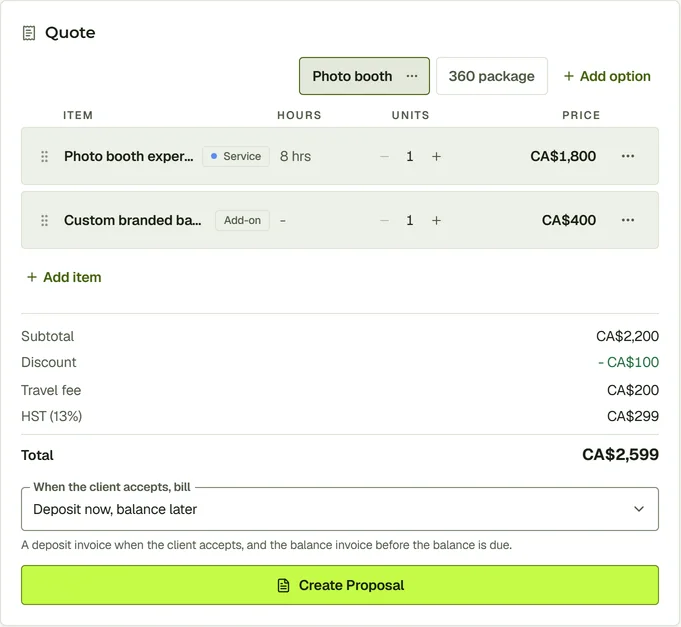
See who has inquired, what they want and where the conversation stands. Build quote options with your services and products, with the client’s messages and event details in the same lead.
Leads
Drag Northline's inquiry along the pipeline, open the lead and build a quote from your catalogue: a photo booth option and a 360 package, with a discount and a travel fee.
Explore leads & quotes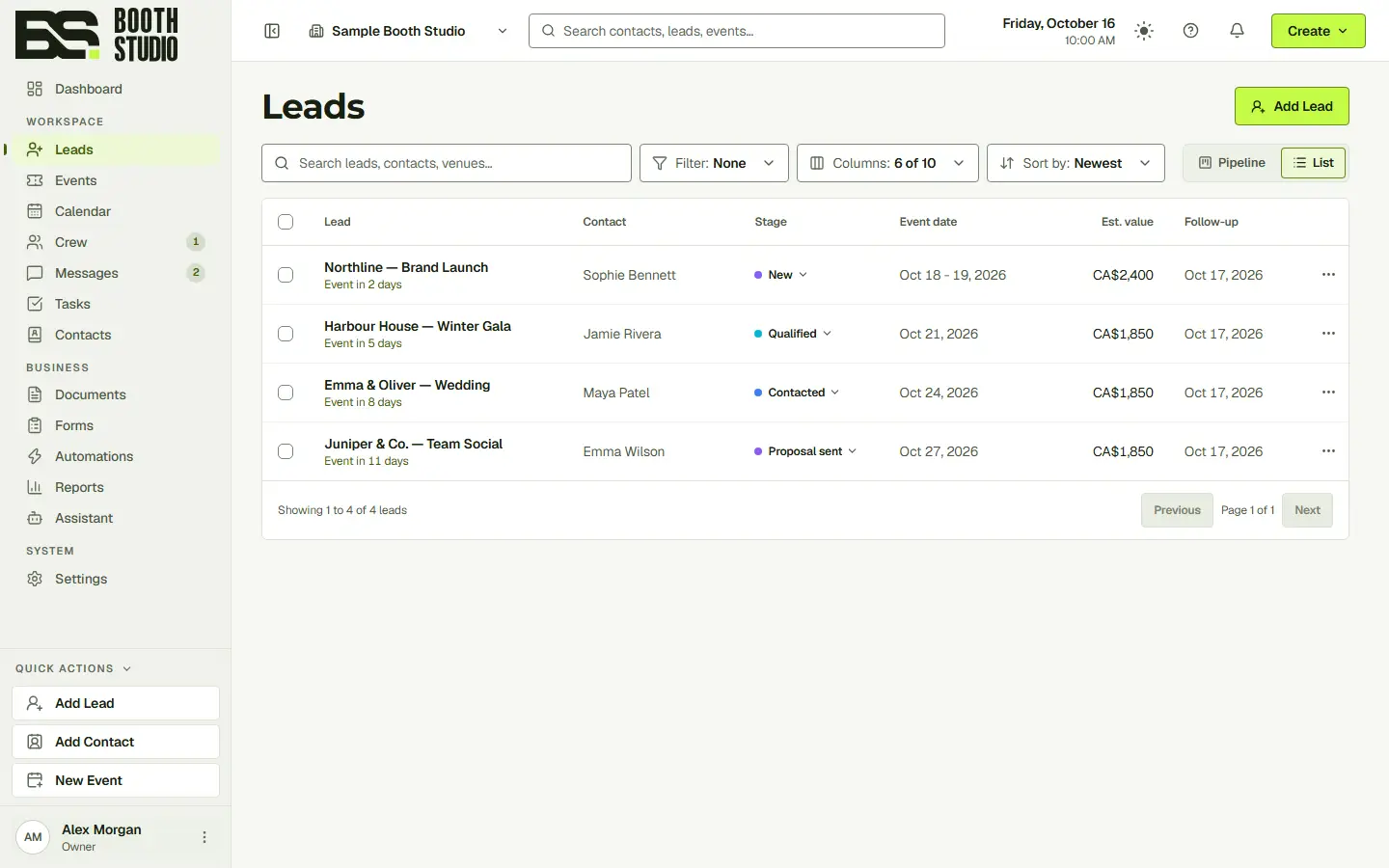
Northline's inquiry is waiting in Leads.
Open a lead to see the event date, venue, client details and previous conversation. Use that information to prepare the quote, answer a question or follow up on a proposal.
Scan inquiry details in the list or see progress by stage in the pipeline. Open any lead to review the client, event and follow-up details.
Add services and products to a quote, then create another option in the same lead. Compare a booth-only booking with a package that includes a backdrop or photographer.
Messages, documents and activity sit alongside the lead’s overview. See what was discussed and sent before you or a teammate replies.
Yes. Leads has both views, so you can scan the details in a list or follow progress by stage.
Yes. Build separate quote options inside the lead and add the products or services that belong in each.
No. The walkthrough uses the actual CRM interface with fictional clients and sample bookings.
Start with the full CRM. Choose the seats, storage and communication allowances your team needs.