
Forms & questionnaires
Understand the inquiry
The client is planning a brand launch over two days. Capture their details, check the date and keep the conversation with the lead.
Explore forms & questionnaires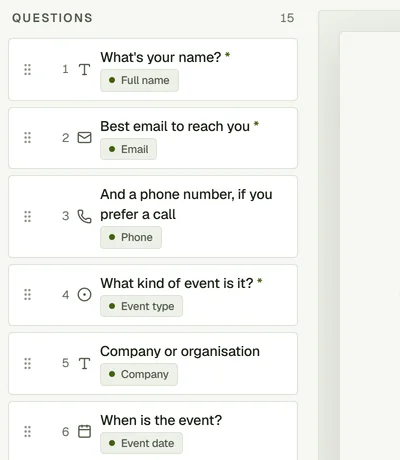
Follow one booking from the first inquiry to the final cost review. The client, the team and the paperwork stay connected.
The client is planning a brand launch over two days. Capture their details, check the date and keep the conversation with the lead.
Explore forms & questionnairesBuild a quote for the booth and backdrop, or add another option with a roaming photographer. Prepare the client document from the same workspace.
Explore leads & quotes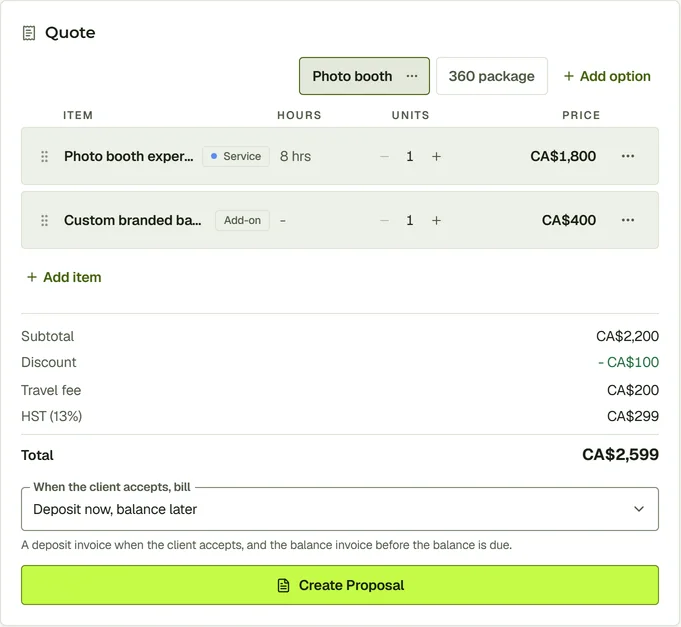
Add the venue contact, split the event into sessions and include a break. Keep the run sheet with the booked items.
Explore events & run sheets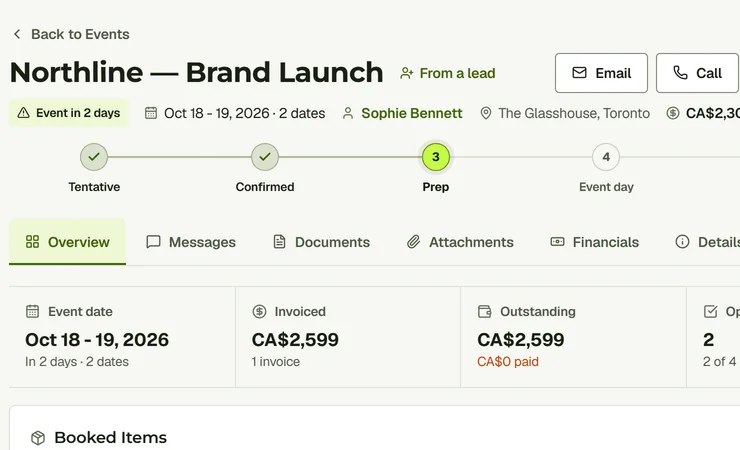
Assign two people, name a crew chief and set their pay. Crew can accept shifts and submit an invoice after the work.
Explore crew management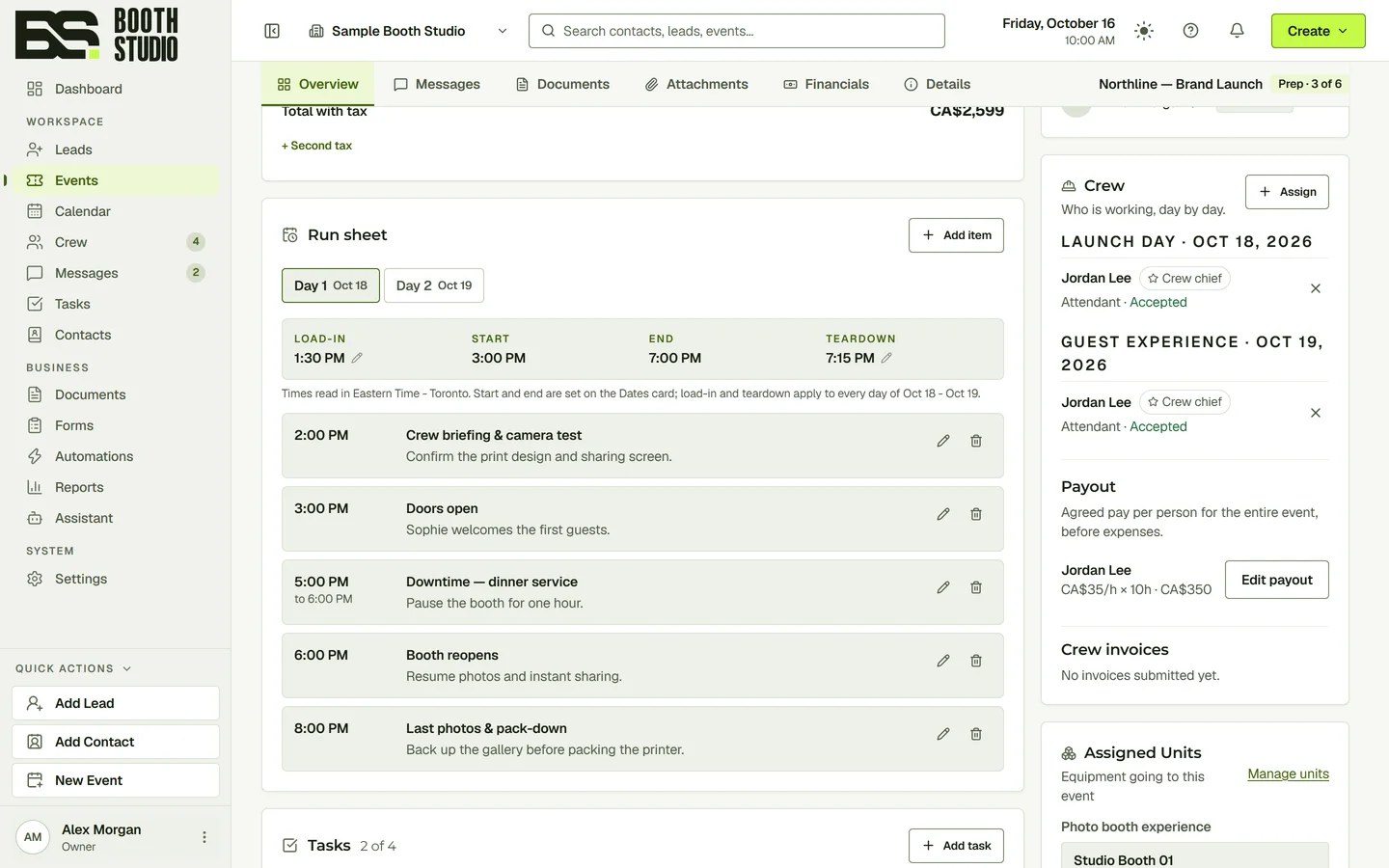
Use automation for repeatable follow-up. Review crew pay and materials alongside income to understand the event’s financial picture.
Explore reports & finances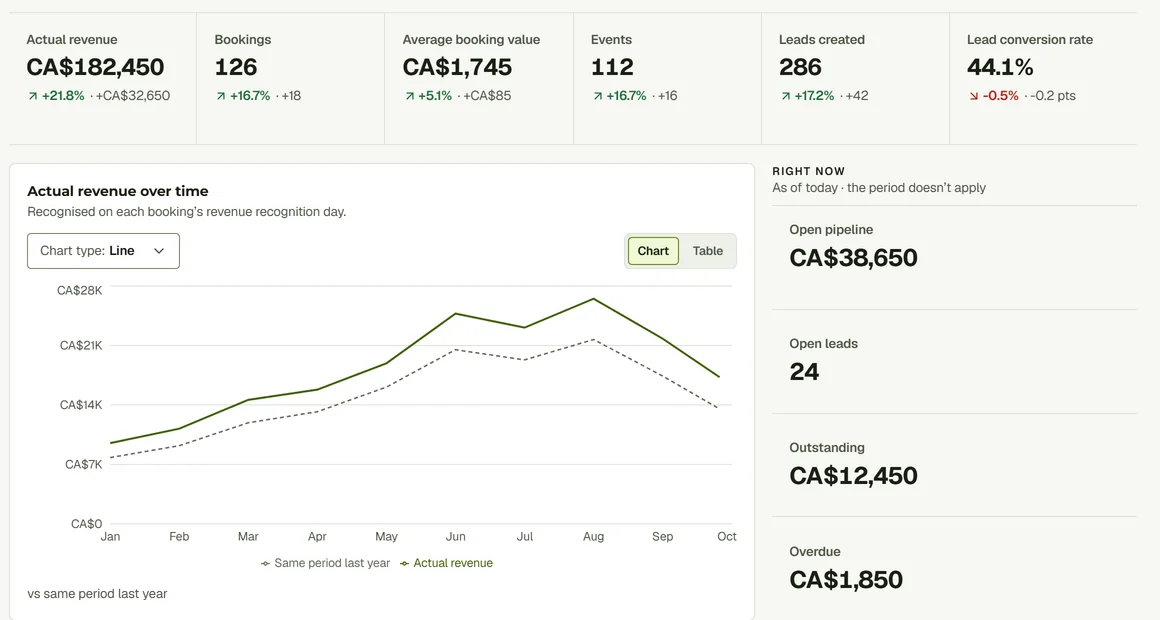
Watch the Leads and Events walkthroughs to follow this sample job through the CRM.